Showing posts with label cpd23. Show all posts

Thursday, 12 July 2012

Cardiff CLIC/CPD23 meet up

CLIC is organising a meet up for library staff in the South Wales area. If you are taking part in the CPD23 course, then it can count as your 'thing 7', but it is open to everyone regardless of whether you are taking part.

The meet up will be held in the yurt at Milgi on City Road in Cardiff from 6.00 till roughly 9.00pm on Tuesday the 24th July. City Road is only a few minutes walk from Cardiff city centre, and the no. 38 & 39 buses stop right outside (parking in the area is not great though!).


The yurt is right at the back of Milgi, if you haven't been before you need to walk right through the length of the bar and out towards the beer garden.
So if you work in libraries and live near enough to get to Cardiff, then please come down, we would love to see you!

Wednesday, 20 June 2012

Things 6 & 7 - real-life & virtual networks

I’m cheating and combining two things this week, but I feel it’s justified because lately many of my online connections have developed into real-life ones, and much of my real-life connections are supplemented by my online presence.

When I took part in CPD23 last year I was only just starting to get involved with professional bodies (formal and informal) and I was often a rather passive participant. With the impetus of CPD23 behind me I am becoming more proactive, and I do feel it has been beneficial, not just in terms of what I have learnt and the professional development opportunities it’s created, but just in terms of boosting my confidence. It can be a little intimidating as a (relative) newbie to the profession, but it’s surprisingly easy to get involved, and once you are you wonder why you didn’t do it sooner!

The list of organisations you can become a part of on the CPD23 blog is really impressive, I thought I’d just add a little about my own experiences of some of them.

Online Networks
LinkedIn – last year I set up my account, but didn’t really do anything with it. I’ve been planning on updating it ever since, it’s still not happened!
LISNPN – I joined a while ago, and have been on a few of the meet ups (see my post on the latest one here). I think of LISNPN as a really great springboard to help you get acquainted with your fellow library folk. The resources section is full of useful information, from LIS course reviews, to guides to making presentations, and interviews tips. They also post job vacancies on the site, and share them via their Twitter account, @LISNPN.
Pinterest – I’ve just joined and so far I’ve not done much with it, but I’m looking forward to catching the ‘pinning bug’

Real-life networks
CILIP – I joined a year ago, and so far I’m finding it is worth it. I attended the CILIP New Professionals Day this year, which was really great and I’ve taken part in some CIG online forum discussions (little bit intimidating) and I’ve just heard that the Rare Books Group is planning on running some events in Wales (hooray!). I’m also heading up to the CDG/New Professional conference this July, as (along with Karen Pierce) I will be doing one of the presentations (scary!).
SLA (Special Libraries Association) – the SLA has a Museums group, so it was an obvious choice to join. I’m looking forward to exploring more of what my membership will offer; I’ve heard good things about them.
ARLIS – Although I use our institutional membership, rather than have a personal one, I still try to get involved; the email lists are great for keeping up to date with what’s happening in the art libraries world. I just wish I could make it to the regular visits they hold, which are too far away for me, they always look amazing.
MLAG (Museum Librarians and Archivists Group) – they used to be the London Museum Librarians and Archivists Group, but have since opened up their membership UK wide. It’s free to join, and is open to anyone working in museum libraries or archives. It can be difficult to make connections with other museum librarians (we are a rare breed!), so it’s great to find an organisation dedicated to it.

But, probably the organisation I get the most out of is CLIC (Cardiff Libraries in Co-operation), who provide free training and events for anyone working in libraries in Cardiff and the surrounding area (I blogged about the most recent event here). CLIC was set up in 2005 with the help of CyMAL ( Museums, Archives and Libraries Wales) and is free to join. I’m currently a member of the Web Development Team and at the beginning of this year I also joined the Staff Development Group.

This year CLIC has decided to try and organise regular meet ups for people doing CPD23, we held our most recent one in May. So, if you live near Cardiff, or just fancy a visit, then let me know and I’ll make sure you get added to the invite list for the next one!

Sunday, 27 May 2012

Thing 4 - current awareness


This post primarily focuses on Twitter, inspired in part by a number of conversations I've had lately. I’ve only been using it for about a year (I joined as part of Thing 4 last year) but I thought I would share my experience of using it so far, which may be helpful to people getting started.

Like a lot of people I had a perception of Twitter, as something mainly used by celebrities and people tweeting about what they had for breakfast, so I wasn't that interested in it.

But really I couldn’t have been more wrong, as was pointed out in a recent event we held on Social Media “Twitter is what you make of it”. I tend to use it for work, 90% of the people or organisations I follow are in the museum or library sector. Most of those people tend to tweet a mixture of personal and professional (the ‘profersonal’ approach). They share links to blogs and articles, recommend tools and resources, report from conferences and discuss issues in the profession.

There is a bit of personal thrown in there too, so they come across as real humans rather than crazed, workaholic robots, but primarily I use Twitter as an information resource, and to create and strengthen links with others in the library sector.

Whenever I talk to people about using Twitter there seem to be three main questions/problems that arise; “how do you know who to follow”; “I’m not sure I have anything to say”; and “how do you fit it all in/keep on top of it?”.

So here's how I tackled those areas.

Who to follow;

It can be difficult to know who to follow, thankfully you can usually check out a person's profile first, looking at their tweets can help you decide (plus you can always ‘unfollow’ if you change your mind!).

As I joined as part of CPD23, I of course followed @CPD23 and some of the contributors such as @Girlinthe or @Annie_Bob

I also followed organisations and institutions like @CILIPinfo (plus the CILIP sub groups @CILIPRareBooks  and @CILIPCIG); @AmgueddfaCymru; @NLWales; @HVCats; @LISNPN; @LibraryCamp and of course @CLICLibraries!

There were a number of ‘uberlibrarians’ I thought worth following, as you can count on them to draw your attention to useful blogs and online tools. People such as @Philbradley; @theREALwikiman (author of the Library Marketing Toolkit); @librarianbyday (responsible for the Library Day in the Life project) and  @bethanar (author of the LIS New Professionals Toolkit), they are of course many more, but I can't list everyone!

I also created a network of local librarians; including the CILIP Wales officer @Minimorticia, and a Cardiff list featuring @Darklecat; @helbader; @Ceridwen339; @Gemma_DS; @alisonharvey_; @MathomHouser; @glambuslib; @glamlaflib to name but a few!

Also look out for #ff (Follow Fridays) when people tweet their 'follow' recommendations.

What to tweet

I had no idea what to say for my first tweets and 'lurked' for a while, until I had the courage to say something. Another option is to start by retweeting things that are of interest to you.

Alternatively you could take part in a scheduled conversation, such as @uklibchat (Tuesdays 6.30-8.30pm GMT). The agenda is always on their blog in advance, giving you a chance to see the questions and start composing your replies. All replies need to contain the hashtag #uklibchat, meaning they can be grouped together and afterwards a summary of the discussions is posted. It’s a really great way to start taking part in conversations on Twitter, without the pressure of trying to compose tweets off the top of your head.


Or there are the chartership chats for people doing (or thinking of doing) chartership, or those already chartered who would like to give advice and support to others. Chartership chats happen on Twitter on Thursdays and are organised by Jo Alcock (@joeyanne) using the #chartership hashtag.

How to avoid becoming overwhelmed with tweets

This can be a tricky one. I'm lucky that I can access Twitter on my phone, as it means I can check it when I'm waiting for the bus or while I'm watching TV. I often save hashtags as columns, allowing me to see any tweets containing that hashtag, which can be very helpful if you are following a conference.

You can also divide up the people you follow in to lists, and just view what people from a particular list are tweeting. That way if you are a bit pressed for time you can pick and choose what type of tweets you want to look at that day, for example I might choose only to look at tweets from my list of CLIC librarians one day, and tweets from people about their #cpd23 progress the next.

Another good tip is to save things and come back to them. If tweets contain links to interesting blog posts or online articles, but I don't have time to read them immediately, I'll often bookmark them on my phone. Jen Gallagher (@medievaljenga) recommends using Pocket, and Evernote is another handy alternative, and you can log in to your account on any PC to view what you've saved.

I think the main thing though is not to worry to much about it. It's impossible to catch everything, and if something is really important/useful it will be retweeted so much that you'll catch it eventually. A lot of people archive tweets, or use Storify, meaning even if you're not aware of the conversation initially, you can still catch what was said at a later date.

Wow this post contains a lot of hyper links!

Thursday, 24 May 2012

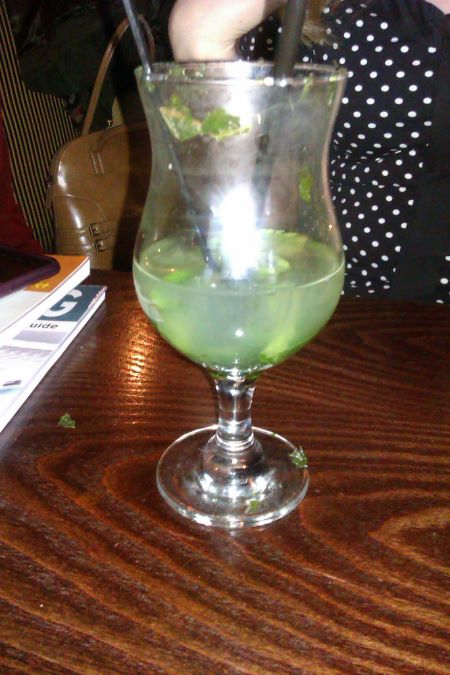
Cocktails in Cardiff (CPD23 meet up)

Last week the CLIC (Cardiff Libraries in Co-operation) staff development group organised a meet up for library staff in Cardiff who were thinking about doing, or had started, CPD23. I'd done the course last year, and one of the best things I got out of it was meeting other participants in my area, first through Twitter, and then at the face-to-face meet ups for Thing 7. Meeting up can really help if you find yourself struggling with any aspects of the course, and you'd be surprised how often other people tend to have exactly the same concerns as you.

Photo courtesy of Squirrel Library
Karen talks a little on her blog (dark-side-of-the-catalogue) about the time management concerns that a lot of people had. I really liked the suggestion of banding together with colleagues, maybe for an hour after work each week, to work through the 'things' and spur each other on!

We had a lot of people attending who had started the course last year, but not come to the end yet. Some of them were feeling a bit guilty that they hadn't finished, but I think as more people admitted that they hadn't finished either it was quite reassuring. The best thing about online courses is that you can work at your own pace, but if you don't know many other people taking part you can end up with the misconception that everyone else is way ahead of you. Meet ups can be very helpful to show that often the other participants are actually in the same position as you.

Photo courtesy of @SiobhanWGLib
A few people expressed their nervousness at blogging, and the feeling that they never know what to say. I could definitely sympathise with that, I had never blogged before taking part last year, and I'm not much of a writer, I think my early posts reflected that. The best advice I could think of for overcoming that issue is to take a look at what other people are writing, they're often not blogging all that much either. I think once you make a start and get over that mental hurdle of 'what to write' it does become easier. Like anything, the more you practice the more comfortable you will feel about it.

Another concern that was raised focused on Twitter, and as we look at Twitter for Thing 4 I thought I might talk about it in a little more depth then.

It was a great night, the 2-4-1 cocktails were an unexpected bonus (I hadn't known about them when I booked it!) and I'm hopefully it will be the first of many such events.

Wednesday, 23 May 2012

Thing 3 - consider your personal brand

Thing 3 is all about building your personal brand, a hot topic in library circles at the moment.

Like a number of people who took part in CPD23 last year, I was initially quite reluctant to engage with the idea of creating a personal brand. I had the perception that it was a bit cynical, and wasn’t too keen on the idea of ‘selling’ myself. I wonder if it is the terminology that is off putting, it’s difficult to get past the impression the word ‘brand’ tends to conjure up. Perhaps referring to it more as building or directing your reputation would be easier to engage with?

I think the most important thing I’ve learnt since then is that there are many different ways to develop a brand, many approaches will seem not appropriate or relevant, but it’s actually quite easy to find one that sits more comfortably with you. At the recent CILIP New Professionals Day Ned Potter discussed the 5 ways you could influence your brand. The thing that stood out for me most from his talk was that creating a brand should not be your end goal; it should be more a happy result of pursuing the interests that are important to you.

I think this method allows you to create a brand in a more organic, natural way, rather than as something you’ve ‘constructed’. It also allows for flexibility, as you pursue your interests and ambitions it’s likely that they will change and develop. Hopefully that means that your ‘brand’ will also develop, rather than feeling like a rigid thing you have to stick to.

So with this in mind I had a look at some of the ways in which I manage my ‘brand’, and to be honest I don't do much and it hardly takes up any time.
  • I use the same profile picture for all my online accounts, it's a photo of me, which helps when meeting people face-to-face.
  • I try and keep the design of my blog and Twitter account relatively consistent, I use the same background image for example. Although I regret not using matching names for them when I first set them up.
  • My full name does appear somewhere on my online accounts, and a small bio. While I don't want all my personal details 'out there', I'm also not comfortable with the idea of being totally anonymous either, I think people will connect with you better if they know something about you.
  • I'm not keen on the idea of merging my professional and private lives, so Twitter, LinkedIn and my blog are for work-related stuff, Facebook is for social.
Out of interest I also decided to Google myself, I did this last year, and was not particularly surprised to discover I didn’t rank very highly in the search results. Well, what a difference a year makes!


My Twitter account (@KrisWJ) is second in the listings, and I suspect I am one of those 15 professionals listed in LinkedIn. I haven’t done much with my LinkedIn account, perhaps if I did I could get it working a little harder for me!

Monday, 14 May 2012

Thing 2 - investigate other blogs

I'm always on the look out for blogs by other people working in special libraries, and particularly museum libraries, so the first thing I did was have a scan through to see if I could find any. As usual there weren't that many, but perhaps as the course goes on more will feel inclined to take part.


As I'm organising a CPD23 meet up in Cardiff I also went through looking for any participants in my area. I've already started to put together a list using Delicious to find any tagged with Wales, which will hopefully grow as people start setting up their blogs.


However the best ways I've found to keep up to date with who is taking part in CPD23 is to subscribe to the CPD23 single feed on their website, and to save the #cpd23 hashtag as a column in TweetDeck on my phone.

Wednesday, 9 May 2012

Cardiff CPD23 meet-up

With the CPD23 course running again this summer, CLIC has decided to organise an informal meet-up for anyone starting the course or thinking about taking part, based in the south Wales area (or close by). Although CPD meet-ups are often organised as part of Thing 7 (see the Cardiff #yurtup), we thought it might be nice for people to get to know each other prior to then.

Barocco in Wharton Street, Cardiff
 It will take place in the upstairs section of Barocco in Cardiff city centre from 6pm-9pm on Wednesday 16th May. A number of CLIC members who took part in the course last year will be on hand to talk about their experiences and offer tips and advice on any aspects of the course. You can check out a presentation made by Karen Pierce on her CPD23 experiences at a recent CLIC event. Parking is available not too far from the bar (click the link to see a map of nearby car parks), and Barocco does really nice food!


You can pop in at any time, it's an informal event, more a chance to have a chat than anything else, and if you need any more information you can contact me via this blog or my Twitter account @KrisWJ

Hope to see you there!

Tuesday, 8 May 2012

CPD23 2012

The 23 Things for Professional Development course is running again, and even though I took part in it last year I decided to sign up for it a second time. A lot of the 'things' introduced to us during the course were very new to me and that, combined with the fast pace we worked through them, meant I often had to resort to just skimming the surface rather than looking at them in any depth. My mantra started to become "I'll go back and look at it in more detail when I have time".

Since then I have not had a chance to do any of that further investigation that I promised myself, and I wondered if it was because the motivation had lessened. So, my plan is to do the CPD course again, but this time cover more of the aspects that I didn't have a chance to do first time. For example, last year when we did 'Thing 4' I was new to Twitter, so I primarily focused on setting up an account, finding people to follow, and sending my first Tweets. This time around, now that I use Twitter on a regular basis, I'll look more at organising Twitter feeds and creating lists, so that the volume of information I get in my timeline feels a little less overwhelming (something I have been meaning to get around to doing for a while now anyway!).

Hopefully by the end of the course I will have explored the tools introduced last time to the extent that I have a greater understanding of them.

Sunday, 29 January 2012

CLIC Social Media Event: CPD23: Learning about tools for professional development

The final presentation was by Karen Pierce (@Darklecat) on CPD23, also known as 23 Things for Professional Development, and she also used a Prezi.


She started by introducing the course and the benefits that taking part in it could provide.  She stressed that as it was an online course, which you work through independently, everyone goes at their own pace.
23 Things for Professional Development, also known as cpd23, is a self-directed, self-paced, inclusive, practical and free online programme open to librarians and information professionals at all stages of their career, in any type of role, any sector, and from any part of the world.  It encourages information professionals to explore and discover social media 'Things', including Twitter, RSS feeds and file-sharing, as well as other 'traditional' CPD routes, such as gaining qualifications, presenting skills and getting published.  Participants will be asked to assess how each Thing can assist them in their professional development, and then to blog about each Thing and share their thoughts, views and expertise.  The programme is completely informal and no prior knowledge or experience is expected or assumed.
It was advertised to start in June 2011 and run throughout the summer, ending in October/November, but as it was an independent course new people could enroll at any point during the course.  At one point there were over 787 people taking part.

In order to take part students had to set up their own blogs (or use an existing one) to record their progress.  Karen said she decided to go with Wordpress rather than the recommended Blogger to set up her's as it seemed a little more user-friendly.  One of the most enjoyable aspects of taking part in CPD23 was checking other people’s blogs.  Because there were so many participants Karen's method of deciding which to look at was to narrow it down to other cataloguers, people based in Wales or any with intriguing blog titles.

Some of Karen's highlights from the course included;
Thing 3 (which Emma also mentioned in her talk) which looked at branding (sounded off putting, but once you looked in to it actually made sense) and particularly the interconnectivity of all your online profiles.  It lead her to decide to choose an avatar picture of a woman reading that she'd seen on a Greek vase as it linked her library life to her previous role as an ancient historian.
Thing 4 which introduced Twitter, Karen mentioned finding Twitter very scary to begin with, but as she joined with loads of other CPD23 newbies that helped, and she found herself learning a lot about cake, knitting and kittens!

“Twitter is what you make of it”
Primarily she follows library people and library conferences, and has found it very useful for networking, as was demonstrated when part way through the course a CPD23 real life meet up took place at Milgis in Cardiff and led to its own hashtag #yurtup and some yurt up envy happening on Twitter.
Karen giving her presentation
Karen also pointed out that CPD23 is not just about new media but also about working on your continuing professional development in a number of areas.

As part of her presentation Karen discussed some of the pros and cons of taking part in the course;
Cons
Time - the biggest issue is finding time to fit it in around work/life, particularly during busy periods, so it's easy to slip behind
Lack of interest in some aspects – either because not all the 'things' were really applicable to her role as a cataloguer or because she was already happier using alternatives versions
Too much info - there were so many blogs and tweets to read, so much information to absorb about the 'things' that it was a bit of an overload
Pros
Setting up a blog and Twitter account
Making new contacts and networks
Gaining practice in reflective writing
Updating knowledge in a number of different areas
The encouragement you receive from others doing the course
Karen rounded up by listing her CPD23 goals for the future as;
-Maintaining her blog
-Going back over some of the 'things'
-Continuing her professional development

She ended by telling everyone that the CPD23 course was likely to run again in the New Year, and encouraged anyone who hadn't tried it before to 'have a go'.

Monday, 28 November 2011

Thing 23 - The Final Thing!

I did a bit of reflection on CPD23 as part of Thing 19 only a couple of weeks ago, so for this one I decided to have more of a "what next?" mindset.  I like the idea of setting up a PDP (Personal Development Plan), putting down some long and short term goals, and how to go about trying to achieve them. 

CDP23 has made me much more aware of the many different technologies that are out there, and one thing I am keen to continue with now it's over is learning more about what's out there.  Because I fell behind a bit I wasn't able to explore all the tools introduced to us as much as I'd have liked.  Now the course is over I have the time to go back and review some of them in more depth. 

I'm also keen to bring more of what I've learnt in this course to my day-to-day job.  We recently decided to start a blog and Twitter account at work, I'm not sure if we would have been so confident to do that if it wasn't for CPD23. 

And finally, I want to continue getting involved in events outside the workplace, such as attending conferences, joining professional bodies and keeping my online profile active.
Poster available on Amazon

CPD23 has been a fantastic experience, I've learnt so much and feel it has given a renewed sense of purpose to my career progression, a massive thank-you has to go out to everyone involved with putting the programme together.

Thing 22 - Volunteering

I haven't had to do any volunteering myself, although I have considered it in the past.  The main reason for this is that I am able to get the experience I need at work.  Although I am a Library Assistant, ever since I decided to become qualified and exhibited my intention to become a professional librarian my employers have been very supportive in helping me develop my career prospects.  They have allowed me to take part in activities such as cataloguing, and given me plenty of projects and responsibilities that all add to my skills and experience.


Of course they are only able to do this because we are quite a small library that's not really open to the public.  This, I think, makes it much easier to create opportunities for staff to try working in areas that are not truly part of their job specifications.

I do have experience of volunteering from the other side of the fence, we have taken on a number of volunteers during the time I have been there.  They primarily tend to be library students or recent graduates looking to gain that all important experience, but we have also had staff from other departments and Museum Friends.  Reading through Headstrong Way's report on a presentation about  Bishopsgate Library's use of volunteers I was struck by how similar their set up sounds to ours.  Our volunteers tend either to work on particular projects, or if they are library students, get a taster for the different aspects of working in a museum library.  The Museum has a volunteers policy in place to make sure everyone (Museum and volunteer) gets as much benefit from the experience as possible.

Thing 21 - Promoting yourself in job applications and at interview

The theme of Thing 21 is promoting yourself in job applications and interviews, which isn't something I'd previously thought about that much.  My employers paid for my MSc in Librarianship on the understanding that I would stay with them for a minimum of two years after completion.  This meant I didn't join the rush of newly qualified people trying to find their first professional post, and I have to say that was a bit of a relief to be honest.  Also, I'm already in the job I want, just not at the grade I would like (I'm currently a para-professional) so why would I want to leave?  Ideally I would rather have a promotion in my current workplace, rather than have to go elsewhere.  And, as I mentioned in Thing 20, I work a second part-time job, so job-hunting might mean having to say goodbye to two jobs I love.

However, given the current employment climate, it is probably wise to plan for every eventuality.  I know I would feel a little more confident, should I find myself having to look for alternative employment, if I had done some preparation in advance.  And of course, you never know, a dream job that is impossible to resist, could always present itself!

One of the first things I did for this Thing was to update my CV, it had been so long since I was last job-hunting I had rather neglected it.  I then decided to create an 'application form' document.  One of the aspects of filling in application forms that I always dreaded were the sections detailing your personal skills and how they met the job specifications.  I would spend ages trying to decide what to use as supporting evidence, and then even longer drafting and redrafting it.  I downloaded a couple of relevant application forms to give me an idea of the usual questions and criteria that are requested, and tried to get down as much information as possible.  Should I find myself applying for jobs, all I'll have to do is edit them to fit the particular specifications.

I already have a file at work for my PDR (Performance and Development Review) where I note down work activities I've been involved in.  I decided to expand on that to describe the role of my current job, but also added information about non-work activities and my non-library job.  In the past I've always kept my two part-time jobs very separate (or as much as possible) but recently I've come to feel this isn't such a good idea, I have skills I use in both jobs that could be applied to the other.

I had a brief look over the section on the CPD23 post giving advice on job interviews, but as I am not yet at that stage, I feel it is better to come back to that if I do end up needing to attend interviews.  It has made me more aware though of where I can go to find the information I require when I do need it.  Particularly the knowledge that CILIP members are entitled to two free sessions with a careers advisor a year.  I wouldn't have known that if the CPD23 team hadn't pointed it out, as it had somehow managed to escape my notice when I signed up to CILIP, but that will be very useful.

Friday, 25 November 2011

Thing 20 - The Library Routes project

I'd been on the Library Routes wiki in the past, as I always like to be nosy into why other people had decided to choose librarianship, but I had never posted myself.  I was happy to remedy that by adding a link to my Thing 10 post.

I then started looking through the other entries to compare people's paths to librarianship.  I was struck by how many people, like myself, had come to the profession after originally training or studying in a different area.  So many people had first degrees in subjects such as English, Art or Humanities, and only considered becoming a librarian after graduation.

The Wikiman's visual description of his career options
I was also interested to see how many people work part-time in libraries, particularly those who combine two part-time jobs to create a full-time equivalent, as this is what I'm currently doing.  One thing I certainly noticed when I started working in libraries was the wide range of  flexible working patterns that were available.  

Both my library jobs so far have been part-time, because when I was doing my first Masters (in ceramics) I got a part-time job as a pottery technician in a local community learning centre.  I love that job, but the hours and pay are limited.  When I graduated rather than give it up to do a full-time job, I searched for ones that could work around it, which is how I first ended up in a library.  When I realised that libraries were where I wanted to stay, I was heartened to discover that part-time roles were a common feature. 


In the time since starting my current library job I've also added teaching to my pottery technician's job.  I'm relieved that for the moment I don't have to choose between two (very different) jobs that I love, they work side by side very well.  Long may it last!


Saturday, 19 November 2011

Thing 19 - Reflection

I think this 'Thing' was originally intended as a way to give people a chance for a bit of a breather and catch up.  I'm so far behind now that I'm starting to fear I won't be done in time to get the certificate (and I really want that certificate!), so I'm only going to do a brief reflection now.  I think I'll save doing a fuller evaluation of the whole course once I'm finished, and preferably after a little time has passed.  I think a little distance, and breathing space, is often required to see the true value of what you have been learning.

Some of the changes that have occurred since doing CPD23, either as a direct result, or because it confirmed what I'd already been considering, include;
Having a blog, a Twitter and a LinkedIn account
Considering setting up a library blog and Twitter account at work
Joining CILIP, and plan on joining ARLIS and the SLA (Special Library Association) in the New Year
Going to networking events, including Library Camp 2011 in Birmingham
Getting re-involved with CLIC (Cardiff Libraries in Co-operation)
Taking part in a couple of #uklibchat discussions, Library Day in the Life and the Library Routes project
Offering to do a guest post on LISNPN in the future

So far one of the things I've found most useful has been Twitter, which really surprised me.  I never used it before CPD, and had a rather negative impression of it, but once I got into it I realised how incredibly useful it is a professional tool.

But I think overall, looking at the list of things I've done I'm struck by the fact that it has all worked to raise, both my profile as a library professional and that of my place of work to the wider world.

Thing 18 - Jing/screencapture/podcasts

Yet again I'm going to skim over, rather than fully explore a 'Thing'.  I have tried to give each new tool introduced to us the time it deserves to review it, but I am finding it increasingly difficult to spare the time for those that are less relevant to my job.  CPD23 has inspired me to be more proactive in looking at how to use new media at work so I'm hopeful that once the course is over I'll continue to explore what's out there.
Screencasts - a digital recording of computer screen output, often containing audio narration
I think there could be scope to use these in my current job.  I've often explained to staff over the phone how to access either the library OPAC or the e-journals on the staff intranet.  Occasionally it has included me demonstrating the process on my computer, and they on theirs, going through the steps together.  It would be useful to simply direct people to a screencast showing them how to do the more common queries.

Podcasts - a media file (audio or video) that can be downloaded and saved
I'm not sure whether we would use these, I know lots of places use them to supplement inductions or training sessions.  Although we do inductions for new staff, they tend to be in quite small groups and not very frequent, so it's easier to do them in person.  However, recently we have discussed doing tours for groups interested in the history of the Museum's library, but space and security constraints have limited how much we can do.  I think placing virtual tours on Rhagor may be one way to combat that problem.


I've downloaded Jing to my home computer, and went through some of the tutorials.  If time allows I may try doing some screencasts introducing searching on the Library OPAC, and maybe try some mock up virtual tours to show to my boss.

Wednesday, 9 November 2011

Thing 17 - Prezi and SlideShare

I rarely, if ever, have to do presentations, so my skills in that area end with PowerPoint.  To be honest I barely knew there were any other alternatives out there, I'd never heard of Prezi before, although I had used SlideShare as a way of accessing presentations that people had put online.


Because I want to get through the rest of the 'things' in time to get the certificate, I haven't spent that long experimenting with creating presentations, I just had a look at some of the exisiting presentations on the 'explore' section of the Prezi website and read some how-to guides such as Ned Potter's.

I think that while this is not something that will be of use to me now, if I am in the position where presentations become much more a part of what I do, it will be great to have the knowledge that I can use a more dynamic option.

Finally, if you want to see an example of an inspired use of Prezi check out the one on Library Wanderer's blog, all together now "chilling out, maxing..."!

Thing 16 - advocacy, speaking up for the profession

Typical conversation when meeting someone new and we get on to the ‘so where do you work then?’ part.
Me – In the museum
Them – Oh wow, that sounds great, what do you do there
Me – I work in the library
Them – [long pause] The museum has a library?
Me – [big sigh] Yes
Them – Well I never knew that!
Me – No, no-one seems to [goes off to cry in the corner at lack of public interest in our library]

The Library at Amgueddfa Cymru - National Museum Wales

Then of course I have to get into explaining how we are in a private part of the museum and only open to members of the public by appointment.  And you can’t really browse, it’s for specific research requirements only, and you can’t borrow books, by which time they have completely lost interest.

Because of the kind of environment I work in I’m not used to shouting about our library that much, it seems unfair to promote something that many people won’t be making use of.  However, I’m starting to think maybe we should, I’d be interested to know how other people in special libraries approach this.

I decided to have a look at the CILIP campaigning toolkit for ideas on some advocacy tools to use within my organisation, my aim is to start small, promoting us to our staff, and to the targeted audiences (post-grad students at the local universities for example) before attempting anything larger.

Other than that my primary method of advocacy is to continue to use my public library as much as possible, I read loads, but I rarely ever buy books, particularly not fiction.  When I hear about a book I might be interested in, my first instinct is always to check the local library catalogue, never to check the price on Amazon, I visit my local library about once a week.  I’m constantly amazed at how many of my friends, many of whom are also avid readers, never use the library. 

So, my new resolution is to try and promote the use of libraries (of all types) wherever possible, it may not be as big as the Voices for the Library or the Women's Institute's Love your Libraries campaigns but it's a start!

Lib-heart.jpg from Read and Shout
 

Wednesday, 19 October 2011

Thing 15 - attending conferences

I haven’t attended that many conferences, lack of funds has been a barrier in the past, but Jo Alcock's post on applying for funding has inspired me to be more proactive in trying to attend.  Last week I went to my first 'unconference' at Library Camp UK 2011 in Birmingham, you can read about my experiences here.

I have also gone to lots of CLIC (Cardiff Libraries in Co-operation) events.  These tend to either feature a particular training topic or provide an opportunity for different libraries in Cardiff to present what they do.  I once had to speak at one of these events, as I am a web administrator for the CLIC website and we were launching the site.  It was very nerve-racking as it was the first time I’d ever done anything like that, but I imagine it was far less nerve-racking than speaking to a room full of a couple of hundred people.  Still, even though I found it a scary prospect, if the opportunity comes up I’ll do it again, because I think it’s important skill to have.

Helen Murphy presenting at NPC2011

I found the tips on presenting at conferences from Jo Alcock and  Ned Potter very useful (I didn’t for example know about embedding fonts into PowerPoint, so thanks for that Jo).  I would just echo Ned's point about not reading from notes.  I’ve sat through plenty of talks and lectures where the presenter has never raised their head from their notes, not only is it off putting that they never bother to make eye contact, but the pitch and delivery become monotone and nothing is more guaranteed to make my thoughts start to drift.

Tuesday, 11 October 2011

Thing 14 - Zotero/Mendeley/citeulike

For this 'Thing' we are looking at tools that would have no doubt been very useful when I was studying, but for whatever reason (not entirely sure what that reason was!) I chose not to engage with them.

Instead I chose to type a list of all the references I wanted to consult in a Word document, then bit by bit I worked my way through it, added new ones when they cropped up and making notes next to them once they’d been consulted.  Once I’d decided to use a reference in my dissertation I moved it across into a new Word document, were it was slotted in alphabetically to the list that later became my bibliography.

This now, with the benefit of hindsight, seems insane, and I truly have no real explanation as to why I chose to do it this way, particularly as my dissertation was only 1 & ½ years ago, and there were loads of very good referencing tools to chose from, all well established.

So although I’m not doing any research at the moment, I still was interested to check out what I’d been missing, particularly as they might be useful to recommend to our library users.

I only had time to play about with one of the tools, as I’m falling a little behind on the things, so I picked Mendeley.  This was mainly because, ages ago one of the curators enquired about using it, so the name stuck in my mind.


I wasn’t able to download it to my work PC, so I used my laptop instead.  At first glance it looks very straightforward, and although I've only had a little play about with it so far, it does seem pretty user-friendly.

Friday, 16 September 2011

Thing 13 - Online collaborating and file-sharing


Thing 13 looks at tools to assist with sharing files and working collaboratively, such as Google Docs, Dropbbox and Wikis.
I was interested to learn from reading some of the other posts about Google Docs that it can be a useful alternative to Microsoft Office on a home computer.  I’ve recently been thinking about whether to purchase Office for mine, so I think I’ll give Docs a try first and see how it works out.  I also discovered that the Android Google Docs app allows me, in addition to the regular features, to take a photo of a document, sign, or other text on my phone and use Optical Character Recognition (OCR) to convert it to text that can be edited.

I'm not sure that I will find Dropbox so useful.  It probably would have been very handy when I was doing my library course as I tended to work on both my work and home computers equally, and was always transferring documents to and fro with a USB stick.  Nowadays I don't find I need to transfer documents to more than one computer to the same extent so it may not be something I would get as much use from.

I don't really have much experience of working on joint documents, primarily the only times I've done that have been with colleagues at work.  We already have a number of shared drives at work which people use to share documents so the idea of using an internet based program to do it doesn't seem necessary.

However, I'm soon to be collaborating on a project with people I don't work with, and this is where I think services like Dropbox will be most useful.

My only experience of wikis is when I took part in the Library Day in the Life project back in July, although I believe we cover the Library Routes website as a later ‘thing’ so no doubt I’ll take part in that also.  I think wikis are a great idea, particularly for organising events between large groups of people.